
Making an Offer
The Make Offer option lets buyers suggest a price to the seller instead of paying the full listed price right away. It’s a quick way to negotiate while keeping everything safe and recorded on BuySellBid.
When you can make an offer
You’ll see the Make Offer button on a listing when:
- The seller has enabled Accept Offers on that item.
- The listing is active and not ended, cancelled, or already sold.
- Any offer rules set by the seller (for example, minimum offer) are met.
If the button is missing or greyed out, offers are not available for that particular item.
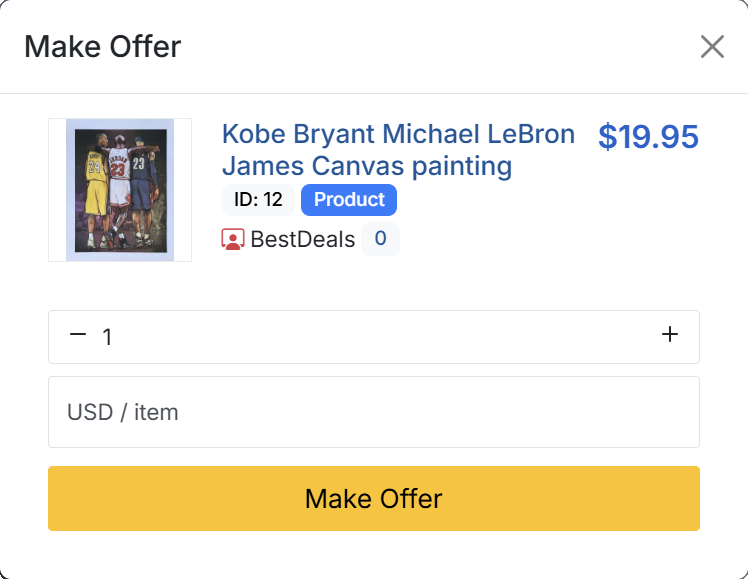
How to make an offer as a buyer
- Open the listing you’re interested in.
- Choose the quantity you want to buy (if the item has more than one available.
- Click the Make Offer button.
- In the offer box, enter the price you’re willing to pay per item. The system will show you the total based on the quantity you selected.
- (Optional) Add a short message for the seller, such as why you’re offering that price or when you can pay.
- Review the summary on the confirmation screen. Check the item, quantity, and total amount one more time.
- Click Submit Offer to send it to the seller.
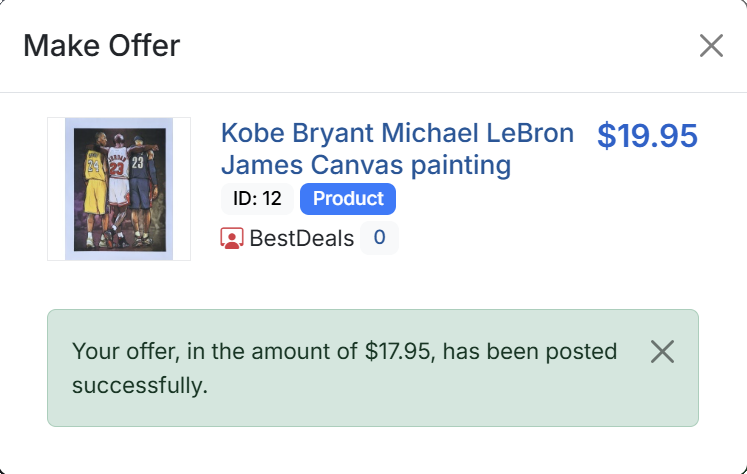
Once sent, your offer will show in your Members Area as pending until the seller acts on it.
Offer limits and ranges
Some sellers set a minimum and/or maximum offer range:
- If your price is below the minimum, the site may block the offer or mark it as too low.
- If your price is above a certain value, the offer may be accepted automatically according to the seller’s settings.
These ranges help sellers avoid extremely low offers and speed up deals where the buyer is already close to the asking price.
What can happen to your offer
Your offer can have one of several outcomes:
- Accepted – the seller accepts your offer. You’ll see the item move into the checkout / payment flow.
- Declined – the seller rejects your offer. You may be able to send a new offer at a higher price, depending on the listing rules.
- Countered – the seller replies with a different price. You can accept, decline, or ignore the counter offer until it expires.
- Expired – if neither side acts in time, the offer simply expires and no sale is created.
Managing offers as a buyer
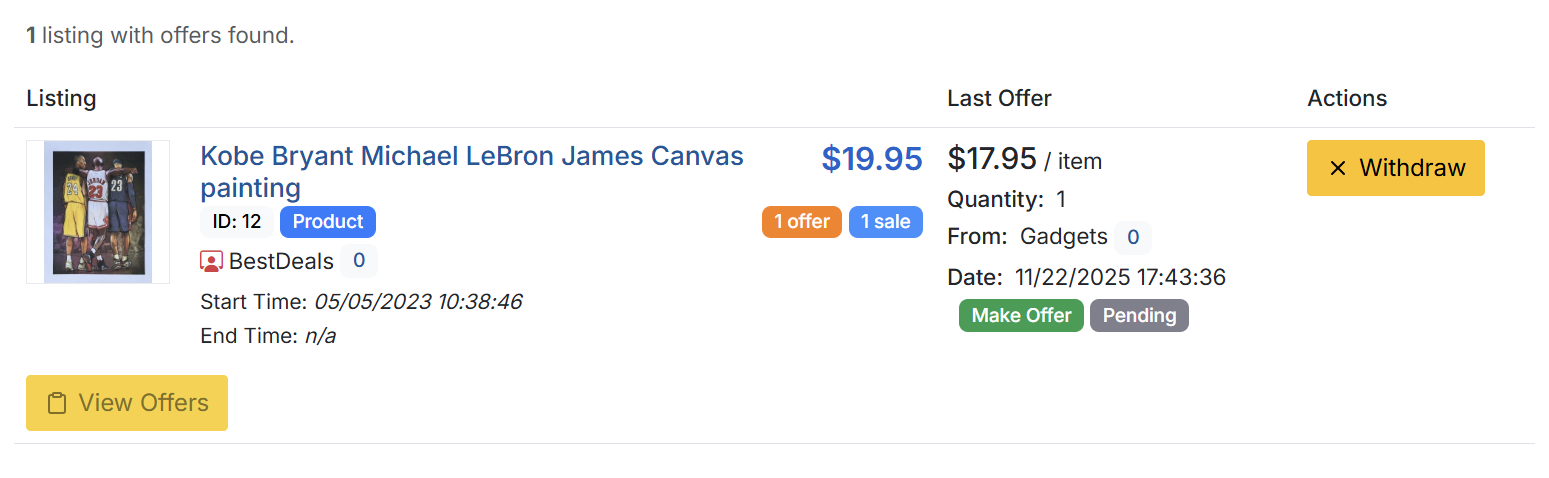
Go to your Members Area and open the section that shows your current purchases/offers. From there you can:
- See all pending, accepted, declined, or expired offers.
- Open the related listing and complete payment for accepted offers.
- Review any counter offers and decide how to respond.
Tips for successful offers
- Use realistic prices based on the item’s condition and current market value.
- Keep communication polite and use on-site messaging where needed.
- Respond to offers and counter offers promptly to keep buyers engaged.
- As a buyer, only make offers you’re prepared to complete if accepted.
The Make Offer feature is designed to help both buyers and sellers reach a fair price without leaving the security of BuySellBid. If you ever receive an offer that looks suspicious, use the site’s reporting tools to let us know.